
1225 lines
30 KiB
Markdown
1225 lines
30 KiB
Markdown
# Logging
|
||
|
||
* Introduction
|
||
* Configuration
|
||
* Available Channel Drivers
|
||
* Channel Prerequisites
|
||
* Logging Deprecation Warnings
|
||
* Building Log Stacks
|
||
* Writing Log Messages
|
||
* Contextual Information
|
||
* Writing to Specific Channels
|
||
* Monolog Channel Customization
|
||
* Customizing Monolog for Channels
|
||
* Creating Monolog Handler Channels
|
||
* Creating Custom Channels via Factories
|
||
* Tailing Log Messages Using Pail
|
||
* Installation
|
||
* Usage
|
||
* Filtering Logs
|
||
|
||
## Introduction
|
||
|
||
To help you learn more about what's happening within your application, Laravel
|
||
provides robust logging services that allow you to log messages to files, the
|
||
system error log, and even to Slack to notify your entire team.
|
||
|
||
Laravel logging is based on "channels". Each channel represents a specific way
|
||
of writing log information. For example, the `single` channel writes log files
|
||
to a single log file, while the `slack` channel sends log messages to Slack.
|
||
Log messages may be written to multiple channels based on their severity.
|
||
|
||
Under the hood, Laravel utilizes the
|
||
[Monolog](https://github.com/Seldaek/monolog) library, which provides support
|
||
for a variety of powerful log handlers. Laravel makes it a cinch to configure
|
||
these handlers, allowing you to mix and match them to customize your
|
||
application's log handling.
|
||
|
||
## Configuration
|
||
|
||
All of the configuration options that control your application's logging
|
||
behavior are housed in the `config/logging.php` configuration file. This file
|
||
allows you to configure your application's log channels, so be sure to review
|
||
each of the available channels and their options. We'll review a few common
|
||
options below.
|
||
|
||
By default, Laravel will use the `stack` channel when logging messages. The
|
||
`stack` channel is used to aggregate multiple log channels into a single
|
||
channel. For more information on building stacks, check out the documentation
|
||
below.
|
||
|
||
### Available Channel Drivers
|
||
|
||
Each log channel is powered by a "driver". The driver determines how and where
|
||
the log message is actually recorded. The following log channel drivers are
|
||
available in every Laravel application. An entry for most of these drivers is
|
||
already present in your application's `config/logging.php` configuration file,
|
||
so be sure to review this file to become familiar with its contents:
|
||
|
||
Name | Description
|
||
---|---
|
||
`custom` | A driver that calls a specified factory to create a channel.
|
||
`daily` | A `RotatingFileHandler` based Monolog driver which rotates daily.
|
||
`errorlog` | An `ErrorLogHandler` based Monolog driver.
|
||
`monolog` | A Monolog factory driver that may use any supported Monolog handler.
|
||
`papertrail` | A `SyslogUdpHandler` based Monolog driver.
|
||
`single` | A single file or path based logger channel (`StreamHandler`).
|
||
`slack` | A `SlackWebhookHandler` based Monolog driver.
|
||
`stack` | A wrapper to facilitate creating "multi-channel" channels.
|
||
`syslog` | A `SyslogHandler` based Monolog driver.
|
||
|
||
Check out the documentation on advanced channel customization to learn more
|
||
about the `monolog` and `custom` drivers.
|
||
|
||
#### Configuring the Channel Name
|
||
|
||
By default, Monolog is instantiated with a "channel name" that matches the
|
||
current environment, such as `production` or `local`. To change this value,
|
||
you may add a `name` option to your channel's configuration:
|
||
|
||
|
||
|
||
1'stack' => [
|
||
|
||
2 'driver' => 'stack',
|
||
|
||
3 'name' => 'channel-name',
|
||
|
||
4 'channels' => ['single', 'slack'],
|
||
|
||
5],
|
||
|
||
|
||
'stack' => [
|
||
'driver' => 'stack',
|
||
'name' => 'channel-name',
|
||
'channels' => ['single', 'slack'],
|
||
],
|
||
|
||
### Channel Prerequisites
|
||
|
||
#### Configuring the Single and Daily Channels
|
||
|
||
The `single` and `daily` channels have three optional configuration options:
|
||
`bubble`, `permission`, and `locking`.
|
||
|
||
Name | Description | Default
|
||
---|---|---
|
||
`bubble` | Indicates if messages should bubble up to other channels after being handled. | `true`
|
||
`locking` | Attempt to lock the log file before writing to it. | `false`
|
||
`permission` | The log file's permissions. | `0644`
|
||
|
||
Additionally, the retention policy for the `daily` channel can be configured
|
||
via the `LOG_DAILY_DAYS` environment variable or by setting the `days`
|
||
configuration option.
|
||
|
||
Name | Description | Default
|
||
---|---|---
|
||
`days` | The number of days that daily log files should be retained. | `14`
|
||
|
||
#### Configuring the Papertrail Channel
|
||
|
||
The `papertrail` channel requires `host` and `port` configuration options.
|
||
These may be defined via the `PAPERTRAIL_URL` and `PAPERTRAIL_PORT`
|
||
environment variables. You can obtain these values from
|
||
[Papertrail](https://help.papertrailapp.com/kb/configuration/configuring-
|
||
centralized-logging-from-php-apps/#send-events-from-php-app).
|
||
|
||
#### Configuring the Slack Channel
|
||
|
||
The `slack` channel requires a `url` configuration option. This value may be
|
||
defined via the `LOG_SLACK_WEBHOOK_URL` environment variable. This URL should
|
||
match a URL for an [incoming webhook](https://slack.com/apps/A0F7XDUAZ-
|
||
incoming-webhooks) that you have configured for your Slack team.
|
||
|
||
By default, Slack will only receive logs at the `critical` level and above;
|
||
however, you can adjust this using the `LOG_LEVEL` environment variable or by
|
||
modifying the `level` configuration option within your Slack log channel's
|
||
configuration array.
|
||
|
||
### Logging Deprecation Warnings
|
||
|
||
PHP, Laravel, and other libraries often notify their users that some of their
|
||
features have been deprecated and will be removed in a future version. If you
|
||
would like to log these deprecation warnings, you may specify your preferred
|
||
`deprecations` log channel using the `LOG_DEPRECATIONS_CHANNEL` environment
|
||
variable, or within your application's `config/logging.php` configuration
|
||
file:
|
||
|
||
|
||
|
||
1'deprecations' => [
|
||
|
||
2 'channel' => env('LOG_DEPRECATIONS_CHANNEL', 'null'),
|
||
|
||
3 'trace' => env('LOG_DEPRECATIONS_TRACE', false),
|
||
|
||
4],
|
||
|
||
5
|
||
|
||
6'channels' => [
|
||
|
||
7 // ...
|
||
|
||
8]
|
||
|
||
|
||
'deprecations' => [
|
||
'channel' => env('LOG_DEPRECATIONS_CHANNEL', 'null'),
|
||
'trace' => env('LOG_DEPRECATIONS_TRACE', false),
|
||
],
|
||
|
||
'channels' => [
|
||
// ...
|
||
]
|
||
|
||
Or, you may define a log channel named `deprecations`. If a log channel with
|
||
this name exists, it will always be used to log deprecations:
|
||
|
||
|
||
|
||
1'channels' => [
|
||
|
||
2 'deprecations' => [
|
||
|
||
3 'driver' => 'single',
|
||
|
||
4 'path' => storage_path('logs/php-deprecation-warnings.log'),
|
||
|
||
5 ],
|
||
|
||
6],
|
||
|
||
|
||
'channels' => [
|
||
'deprecations' => [
|
||
'driver' => 'single',
|
||
'path' => storage_path('logs/php-deprecation-warnings.log'),
|
||
],
|
||
],
|
||
|
||
## Building Log Stacks
|
||
|
||
As mentioned previously, the `stack` driver allows you to combine multiple
|
||
channels into a single log channel for convenience. To illustrate how to use
|
||
log stacks, let's take a look at an example configuration that you might see
|
||
in a production application:
|
||
|
||
|
||
|
||
1'channels' => [
|
||
|
||
2 'stack' => [
|
||
|
||
3 'driver' => 'stack',
|
||
|
||
4 'channels' => ['syslog', 'slack'],
|
||
|
||
5 'ignore_exceptions' => false,
|
||
|
||
6 ],
|
||
|
||
7
|
||
|
||
8 'syslog' => [
|
||
|
||
9 'driver' => 'syslog',
|
||
|
||
10 'level' => env('LOG_LEVEL', 'debug'),
|
||
|
||
11 'facility' => env('LOG_SYSLOG_FACILITY', LOG_USER),
|
||
|
||
12 'replace_placeholders' => true,
|
||
|
||
13 ],
|
||
|
||
14
|
||
|
||
15 'slack' => [
|
||
|
||
16 'driver' => 'slack',
|
||
|
||
17 'url' => env('LOG_SLACK_WEBHOOK_URL'),
|
||
|
||
18 'username' => env('LOG_SLACK_USERNAME', 'Laravel Log'),
|
||
|
||
19 'emoji' => env('LOG_SLACK_EMOJI', ':boom:'),
|
||
|
||
20 'level' => env('LOG_LEVEL', 'critical'),
|
||
|
||
21 'replace_placeholders' => true,
|
||
|
||
22 ],
|
||
|
||
23],
|
||
|
||
|
||
'channels' => [
|
||
'stack' => [
|
||
'driver' => 'stack',
|
||
'channels' => ['syslog', 'slack'],
|
||
'ignore_exceptions' => false,
|
||
],
|
||
|
||
'syslog' => [
|
||
'driver' => 'syslog',
|
||
'level' => env('LOG_LEVEL', 'debug'),
|
||
'facility' => env('LOG_SYSLOG_FACILITY', LOG_USER),
|
||
'replace_placeholders' => true,
|
||
],
|
||
|
||
'slack' => [
|
||
'driver' => 'slack',
|
||
'url' => env('LOG_SLACK_WEBHOOK_URL'),
|
||
'username' => env('LOG_SLACK_USERNAME', 'Laravel Log'),
|
||
'emoji' => env('LOG_SLACK_EMOJI', ':boom:'),
|
||
'level' => env('LOG_LEVEL', 'critical'),
|
||
'replace_placeholders' => true,
|
||
],
|
||
],
|
||
|
||
Let's dissect this configuration. First, notice our `stack` channel aggregates
|
||
two other channels via its `channels` option: `syslog` and `slack`. So, when
|
||
logging messages, both of these channels will have the opportunity to log the
|
||
message. However, as we will see below, whether these channels actually log
|
||
the message may be determined by the message's severity / "level".
|
||
|
||
#### Log Levels
|
||
|
||
Take note of the `level` configuration option present on the `syslog` and
|
||
`slack` channel configurations in the example above. This option determines
|
||
the minimum "level" a message must be in order to be logged by the channel.
|
||
Monolog, which powers Laravel's logging services, offers all of the log levels
|
||
defined in the [RFC 5424 specification](https://tools.ietf.org/html/rfc5424).
|
||
In descending order of severity, these log levels are: **emergency** ,
|
||
**alert** , **critical** , **error** , **warning** , **notice** , **info** ,
|
||
and **debug**.
|
||
|
||
So, imagine we log a message using the `debug` method:
|
||
|
||
|
||
|
||
1Log::debug('An informational message.');
|
||
|
||
|
||
Log::debug('An informational message.');
|
||
|
||
Given our configuration, the `syslog` channel will write the message to the
|
||
system log; however, since the error message is not `critical` or above, it
|
||
will not be sent to Slack. However, if we log an `emergency` message, it will
|
||
be sent to both the system log and Slack since the `emergency` level is above
|
||
our minimum level threshold for both channels:
|
||
|
||
|
||
|
||
1Log::emergency('The system is down!');
|
||
|
||
|
||
Log::emergency('The system is down!');
|
||
|
||
## Writing Log Messages
|
||
|
||
You may write information to the logs using the `Log`
|
||
[facade](/docs/12.x/facades). As previously mentioned, the logger provides the
|
||
eight logging levels defined in the [RFC 5424
|
||
specification](https://tools.ietf.org/html/rfc5424): **emergency** , **alert**
|
||
, **critical** , **error** , **warning** , **notice** , **info** and **debug**
|
||
:
|
||
|
||
|
||
|
||
1use Illuminate\Support\Facades\Log;
|
||
|
||
2
|
||
|
||
3Log::emergency($message);
|
||
|
||
4Log::alert($message);
|
||
|
||
5Log::critical($message);
|
||
|
||
6Log::error($message);
|
||
|
||
7Log::warning($message);
|
||
|
||
8Log::notice($message);
|
||
|
||
9Log::info($message);
|
||
|
||
10Log::debug($message);
|
||
|
||
|
||
use Illuminate\Support\Facades\Log;
|
||
|
||
Log::emergency($message);
|
||
Log::alert($message);
|
||
Log::critical($message);
|
||
Log::error($message);
|
||
Log::warning($message);
|
||
Log::notice($message);
|
||
Log::info($message);
|
||
Log::debug($message);
|
||
|
||
You may call any of these methods to log a message for the corresponding
|
||
level. By default, the message will be written to the default log channel as
|
||
configured by your `logging` configuration file:
|
||
|
||
|
||
|
||
1<?php
|
||
|
||
2
|
||
|
||
3namespace App\Http\Controllers;
|
||
|
||
4
|
||
|
||
5use App\Models\User;
|
||
|
||
6use Illuminate\Support\Facades\Log;
|
||
|
||
7use Illuminate\View\View;
|
||
|
||
8
|
||
|
||
9class UserController extends Controller
|
||
|
||
10{
|
||
|
||
11 /**
|
||
|
||
12 * Show the profile for the given user.
|
||
|
||
13 */
|
||
|
||
14 public function show(string $id): View
|
||
|
||
15 {
|
||
|
||
16 Log::info('Showing the user profile for user: {id}', ['id' => $id]);
|
||
|
||
17
|
||
|
||
18 return view('user.profile', [
|
||
|
||
19 'user' => User::findOrFail($id)
|
||
|
||
20 ]);
|
||
|
||
21 }
|
||
|
||
22}
|
||
|
||
|
||
<?php
|
||
|
||
namespace App\Http\Controllers;
|
||
|
||
use App\Models\User;
|
||
use Illuminate\Support\Facades\Log;
|
||
use Illuminate\View\View;
|
||
|
||
class UserController extends Controller
|
||
{
|
||
/**
|
||
* Show the profile for the given user.
|
||
*/
|
||
public function show(string $id): View
|
||
{
|
||
Log::info('Showing the user profile for user: {id}', ['id' => $id]);
|
||
|
||
return view('user.profile', [
|
||
'user' => User::findOrFail($id)
|
||
]);
|
||
}
|
||
}
|
||
|
||
### Contextual Information
|
||
|
||
An array of contextual data may be passed to the log methods. This contextual
|
||
data will be formatted and displayed with the log message:
|
||
|
||
|
||
|
||
1use Illuminate\Support\Facades\Log;
|
||
|
||
2
|
||
|
||
3Log::info('User {id} failed to login.', ['id' => $user->id]);
|
||
|
||
|
||
use Illuminate\Support\Facades\Log;
|
||
|
||
Log::info('User {id} failed to login.', ['id' => $user->id]);
|
||
|
||
Occasionally, you may wish to specify some contextual information that should
|
||
be included with all subsequent log entries in a particular channel. For
|
||
example, you may wish to log a request ID that is associated with each
|
||
incoming request to your application. To accomplish this, you may call the
|
||
`Log` facade's `withContext` method:
|
||
|
||
|
||
|
||
1<?php
|
||
|
||
2
|
||
|
||
3namespace App\Http\Middleware;
|
||
|
||
4
|
||
|
||
5use Closure;
|
||
|
||
6use Illuminate\Http\Request;
|
||
|
||
7use Illuminate\Support\Facades\Log;
|
||
|
||
8use Illuminate\Support\Str;
|
||
|
||
9use Symfony\Component\HttpFoundation\Response;
|
||
|
||
10
|
||
|
||
11class AssignRequestId
|
||
|
||
12{
|
||
|
||
13 /**
|
||
|
||
14 * Handle an incoming request.
|
||
|
||
15 *
|
||
|
||
16 * @param \Closure(\Illuminate\Http\Request): (\Symfony\Component\HttpFoundation\Response) $next
|
||
|
||
17 */
|
||
|
||
18 public function handle(Request $request, Closure $next): Response
|
||
|
||
19 {
|
||
|
||
20 $requestId = (string) Str::uuid();
|
||
|
||
21
|
||
|
||
22 Log::withContext([
|
||
|
||
23 'request-id' => $requestId
|
||
|
||
24 ]);
|
||
|
||
25
|
||
|
||
26 $response = $next($request);
|
||
|
||
27
|
||
|
||
28 $response->headers->set('Request-Id', $requestId);
|
||
|
||
29
|
||
|
||
30 return $response;
|
||
|
||
31 }
|
||
|
||
32}
|
||
|
||
|
||
<?php
|
||
|
||
namespace App\Http\Middleware;
|
||
|
||
use Closure;
|
||
use Illuminate\Http\Request;
|
||
use Illuminate\Support\Facades\Log;
|
||
use Illuminate\Support\Str;
|
||
use Symfony\Component\HttpFoundation\Response;
|
||
|
||
class AssignRequestId
|
||
{
|
||
/**
|
||
* Handle an incoming request.
|
||
*
|
||
* @param \Closure(\Illuminate\Http\Request): (\Symfony\Component\HttpFoundation\Response) $next
|
||
*/
|
||
public function handle(Request $request, Closure $next): Response
|
||
{
|
||
$requestId = (string) Str::uuid();
|
||
|
||
Log::withContext([
|
||
'request-id' => $requestId
|
||
]);
|
||
|
||
$response = $next($request);
|
||
|
||
$response->headers->set('Request-Id', $requestId);
|
||
|
||
return $response;
|
||
}
|
||
}
|
||
|
||
If you would like to share contextual information across _all_ logging
|
||
channels, you may invoke the `Log::shareContext()` method. This method will
|
||
provide the contextual information to all created channels and any channels
|
||
that are created subsequently:
|
||
|
||
|
||
|
||
1<?php
|
||
|
||
2
|
||
|
||
3namespace App\Http\Middleware;
|
||
|
||
4
|
||
|
||
5use Closure;
|
||
|
||
6use Illuminate\Http\Request;
|
||
|
||
7use Illuminate\Support\Facades\Log;
|
||
|
||
8use Illuminate\Support\Str;
|
||
|
||
9use Symfony\Component\HttpFoundation\Response;
|
||
|
||
10
|
||
|
||
11class AssignRequestId
|
||
|
||
12{
|
||
|
||
13 /**
|
||
|
||
14 * Handle an incoming request.
|
||
|
||
15 *
|
||
|
||
16 * @param \Closure(\Illuminate\Http\Request): (\Symfony\Component\HttpFoundation\Response) $next
|
||
|
||
17 */
|
||
|
||
18 public function handle(Request $request, Closure $next): Response
|
||
|
||
19 {
|
||
|
||
20 $requestId = (string) Str::uuid();
|
||
|
||
21
|
||
|
||
22 Log::shareContext([
|
||
|
||
23 'request-id' => $requestId
|
||
|
||
24 ]);
|
||
|
||
25
|
||
|
||
26 // ...
|
||
|
||
27 }
|
||
|
||
28}
|
||
|
||
|
||
<?php
|
||
|
||
namespace App\Http\Middleware;
|
||
|
||
use Closure;
|
||
use Illuminate\Http\Request;
|
||
use Illuminate\Support\Facades\Log;
|
||
use Illuminate\Support\Str;
|
||
use Symfony\Component\HttpFoundation\Response;
|
||
|
||
class AssignRequestId
|
||
{
|
||
/**
|
||
* Handle an incoming request.
|
||
*
|
||
* @param \Closure(\Illuminate\Http\Request): (\Symfony\Component\HttpFoundation\Response) $next
|
||
*/
|
||
public function handle(Request $request, Closure $next): Response
|
||
{
|
||
$requestId = (string) Str::uuid();
|
||
|
||
Log::shareContext([
|
||
'request-id' => $requestId
|
||
]);
|
||
|
||
// ...
|
||
}
|
||
}
|
||
|
||
If you need to share log context while processing queued jobs, you may utilize
|
||
[job middleware](/docs/12.x/queues#job-middleware).
|
||
|
||
### Writing to Specific Channels
|
||
|
||
Sometimes you may wish to log a message to a channel other than your
|
||
application's default channel. You may use the `channel` method on the `Log`
|
||
facade to retrieve and log to any channel defined in your configuration file:
|
||
|
||
|
||
|
||
1use Illuminate\Support\Facades\Log;
|
||
|
||
2
|
||
|
||
3Log::channel('slack')->info('Something happened!');
|
||
|
||
|
||
use Illuminate\Support\Facades\Log;
|
||
|
||
Log::channel('slack')->info('Something happened!');
|
||
|
||
If you would like to create an on-demand logging stack consisting of multiple
|
||
channels, you may use the `stack` method:
|
||
|
||
|
||
|
||
1Log::stack(['single', 'slack'])->info('Something happened!');
|
||
|
||
|
||
Log::stack(['single', 'slack'])->info('Something happened!');
|
||
|
||
#### On-Demand Channels
|
||
|
||
It is also possible to create an on-demand channel by providing the
|
||
configuration at runtime without that configuration being present in your
|
||
application's `logging` configuration file. To accomplish this, you may pass a
|
||
configuration array to the `Log` facade's `build` method:
|
||
|
||
|
||
|
||
1use Illuminate\Support\Facades\Log;
|
||
|
||
2
|
||
|
||
3Log::build([
|
||
|
||
4 'driver' => 'single',
|
||
|
||
5 'path' => storage_path('logs/custom.log'),
|
||
|
||
6])->info('Something happened!');
|
||
|
||
|
||
use Illuminate\Support\Facades\Log;
|
||
|
||
Log::build([
|
||
'driver' => 'single',
|
||
'path' => storage_path('logs/custom.log'),
|
||
])->info('Something happened!');
|
||
|
||
You may also wish to include an on-demand channel in an on-demand logging
|
||
stack. This can be achieved by including your on-demand channel instance in
|
||
the array passed to the `stack` method:
|
||
|
||
|
||
|
||
1use Illuminate\Support\Facades\Log;
|
||
|
||
2
|
||
|
||
3$channel = Log::build([
|
||
|
||
4 'driver' => 'single',
|
||
|
||
5 'path' => storage_path('logs/custom.log'),
|
||
|
||
6]);
|
||
|
||
7
|
||
|
||
8Log::stack(['slack', $channel])->info('Something happened!');
|
||
|
||
|
||
use Illuminate\Support\Facades\Log;
|
||
|
||
$channel = Log::build([
|
||
'driver' => 'single',
|
||
'path' => storage_path('logs/custom.log'),
|
||
]);
|
||
|
||
Log::stack(['slack', $channel])->info('Something happened!');
|
||
|
||
## Monolog Channel Customization
|
||
|
||
### Customizing Monolog for Channels
|
||
|
||
Sometimes you may need complete control over how Monolog is configured for an
|
||
existing channel. For example, you may want to configure a custom Monolog
|
||
`FormatterInterface` implementation for Laravel's built-in `single` channel.
|
||
|
||
To get started, define a `tap` array on the channel's configuration. The `tap`
|
||
array should contain a list of classes that should have an opportunity to
|
||
customize (or "tap" into) the Monolog instance after it is created. There is
|
||
no conventional location where these classes should be placed, so you are free
|
||
to create a directory within your application to contain these classes:
|
||
|
||
|
||
|
||
1'single' => [
|
||
|
||
2 'driver' => 'single',
|
||
|
||
3 'tap' => [App\Logging\CustomizeFormatter::class],
|
||
|
||
4 'path' => storage_path('logs/laravel.log'),
|
||
|
||
5 'level' => env('LOG_LEVEL', 'debug'),
|
||
|
||
6 'replace_placeholders' => true,
|
||
|
||
7],
|
||
|
||
|
||
'single' => [
|
||
'driver' => 'single',
|
||
'tap' => [App\Logging\CustomizeFormatter::class],
|
||
'path' => storage_path('logs/laravel.log'),
|
||
'level' => env('LOG_LEVEL', 'debug'),
|
||
'replace_placeholders' => true,
|
||
],
|
||
|
||
Once you have configured the `tap` option on your channel, you're ready to
|
||
define the class that will customize your Monolog instance. This class only
|
||
needs a single method: `__invoke`, which receives an `Illuminate\Log\Logger`
|
||
instance. The `Illuminate\Log\Logger` instance proxies all method calls to the
|
||
underlying Monolog instance:
|
||
|
||
|
||
|
||
1<?php
|
||
|
||
2
|
||
|
||
3namespace App\Logging;
|
||
|
||
4
|
||
|
||
5use Illuminate\Log\Logger;
|
||
|
||
6use Monolog\Formatter\LineFormatter;
|
||
|
||
7
|
||
|
||
8class CustomizeFormatter
|
||
|
||
9{
|
||
|
||
10 /**
|
||
|
||
11 * Customize the given logger instance.
|
||
|
||
12 */
|
||
|
||
13 public function __invoke(Logger $logger): void
|
||
|
||
14 {
|
||
|
||
15 foreach ($logger->getHandlers() as $handler) {
|
||
|
||
16 $handler->setFormatter(new LineFormatter(
|
||
|
||
17 '[%datetime%] %channel%.%level_name%: %message% %context% %extra%'
|
||
|
||
18 ));
|
||
|
||
19 }
|
||
|
||
20 }
|
||
|
||
21}
|
||
|
||
|
||
<?php
|
||
|
||
namespace App\Logging;
|
||
|
||
use Illuminate\Log\Logger;
|
||
use Monolog\Formatter\LineFormatter;
|
||
|
||
class CustomizeFormatter
|
||
{
|
||
/**
|
||
* Customize the given logger instance.
|
||
*/
|
||
public function __invoke(Logger $logger): void
|
||
{
|
||
foreach ($logger->getHandlers() as $handler) {
|
||
$handler->setFormatter(new LineFormatter(
|
||
'[%datetime%] %channel%.%level_name%: %message% %context% %extra%'
|
||
));
|
||
}
|
||
}
|
||
}
|
||
|
||
All of your "tap" classes are resolved by the [service
|
||
container](/docs/12.x/container), so any constructor dependencies they require
|
||
will automatically be injected.
|
||
|
||
### Creating Monolog Handler Channels
|
||
|
||
Monolog has a variety of [available
|
||
handlers](https://github.com/Seldaek/monolog/tree/main/src/Monolog/Handler)
|
||
and Laravel does not include a built-in channel for each one. In some cases,
|
||
you may wish to create a custom channel that is merely an instance of a
|
||
specific Monolog handler that does not have a corresponding Laravel log
|
||
driver. These channels can be easily created using the `monolog` driver.
|
||
|
||
When using the `monolog` driver, the `handler` configuration option is used to
|
||
specify which handler will be instantiated. Optionally, any constructor
|
||
parameters the handler needs may be specified using the `handler_with`
|
||
configuration option:
|
||
|
||
|
||
|
||
1'logentries' => [
|
||
|
||
2 'driver' => 'monolog',
|
||
|
||
3 'handler' => Monolog\Handler\SyslogUdpHandler::class,
|
||
|
||
4 'handler_with' => [
|
||
|
||
5 'host' => 'my.logentries.internal.datahubhost.company.com',
|
||
|
||
6 'port' => '10000',
|
||
|
||
7 ],
|
||
|
||
8],
|
||
|
||
|
||
'logentries' => [
|
||
'driver' => 'monolog',
|
||
'handler' => Monolog\Handler\SyslogUdpHandler::class,
|
||
'handler_with' => [
|
||
'host' => 'my.logentries.internal.datahubhost.company.com',
|
||
'port' => '10000',
|
||
],
|
||
],
|
||
|
||
#### Monolog Formatters
|
||
|
||
When using the `monolog` driver, the Monolog `LineFormatter` will be used as
|
||
the default formatter. However, you may customize the type of formatter passed
|
||
to the handler using the `formatter` and `formatter_with` configuration
|
||
options:
|
||
|
||
|
||
|
||
1'browser' => [
|
||
|
||
2 'driver' => 'monolog',
|
||
|
||
3 'handler' => Monolog\Handler\BrowserConsoleHandler::class,
|
||
|
||
4 'formatter' => Monolog\Formatter\HtmlFormatter::class,
|
||
|
||
5 'formatter_with' => [
|
||
|
||
6 'dateFormat' => 'Y-m-d',
|
||
|
||
7 ],
|
||
|
||
8],
|
||
|
||
|
||
'browser' => [
|
||
'driver' => 'monolog',
|
||
'handler' => Monolog\Handler\BrowserConsoleHandler::class,
|
||
'formatter' => Monolog\Formatter\HtmlFormatter::class,
|
||
'formatter_with' => [
|
||
'dateFormat' => 'Y-m-d',
|
||
],
|
||
],
|
||
|
||
If you are using a Monolog handler that is capable of providing its own
|
||
formatter, you may set the value of the `formatter` configuration option to
|
||
`default`:
|
||
|
||
|
||
|
||
1'newrelic' => [
|
||
|
||
2 'driver' => 'monolog',
|
||
|
||
3 'handler' => Monolog\Handler\NewRelicHandler::class,
|
||
|
||
4 'formatter' => 'default',
|
||
|
||
5],
|
||
|
||
|
||
'newrelic' => [
|
||
'driver' => 'monolog',
|
||
'handler' => Monolog\Handler\NewRelicHandler::class,
|
||
'formatter' => 'default',
|
||
],
|
||
|
||
#### Monolog Processors
|
||
|
||
Monolog can also process messages before logging them. You can create your own
|
||
processors or use the [existing processors offered by
|
||
Monolog](https://github.com/Seldaek/monolog/tree/main/src/Monolog/Processor).
|
||
|
||
If you would like to customize the processors for a `monolog` driver, add a
|
||
`processors` configuration value to your channel's configuration:
|
||
|
||
|
||
|
||
1'memory' => [
|
||
|
||
2 'driver' => 'monolog',
|
||
|
||
3 'handler' => Monolog\Handler\StreamHandler::class,
|
||
|
||
4 'handler_with' => [
|
||
|
||
5 'stream' => 'php://stderr',
|
||
|
||
6 ],
|
||
|
||
7 'processors' => [
|
||
|
||
8 // Simple syntax...
|
||
|
||
9 Monolog\Processor\MemoryUsageProcessor::class,
|
||
|
||
10
|
||
|
||
11 // With options...
|
||
|
||
12 [
|
||
|
||
13 'processor' => Monolog\Processor\PsrLogMessageProcessor::class,
|
||
|
||
14 'with' => ['removeUsedContextFields' => true],
|
||
|
||
15 ],
|
||
|
||
16 ],
|
||
|
||
17],
|
||
|
||
|
||
'memory' => [
|
||
'driver' => 'monolog',
|
||
'handler' => Monolog\Handler\StreamHandler::class,
|
||
'handler_with' => [
|
||
'stream' => 'php://stderr',
|
||
],
|
||
'processors' => [
|
||
// Simple syntax...
|
||
Monolog\Processor\MemoryUsageProcessor::class,
|
||
|
||
// With options...
|
||
[
|
||
'processor' => Monolog\Processor\PsrLogMessageProcessor::class,
|
||
'with' => ['removeUsedContextFields' => true],
|
||
],
|
||
],
|
||
],
|
||
|
||
### Creating Custom Channels via Factories
|
||
|
||
If you would like to define an entirely custom channel in which you have full
|
||
control over Monolog's instantiation and configuration, you may specify a
|
||
`custom` driver type in your `config/logging.php` configuration file. Your
|
||
configuration should include a `via` option that contains the name of the
|
||
factory class which will be invoked to create the Monolog instance:
|
||
|
||
|
||
|
||
1'channels' => [
|
||
|
||
2 'example-custom-channel' => [
|
||
|
||
3 'driver' => 'custom',
|
||
|
||
4 'via' => App\Logging\CreateCustomLogger::class,
|
||
|
||
5 ],
|
||
|
||
6],
|
||
|
||
|
||
'channels' => [
|
||
'example-custom-channel' => [
|
||
'driver' => 'custom',
|
||
'via' => App\Logging\CreateCustomLogger::class,
|
||
],
|
||
],
|
||
|
||
Once you have configured the `custom` driver channel, you're ready to define
|
||
the class that will create your Monolog instance. This class only needs a
|
||
single `__invoke` method which should return the Monolog logger instance. The
|
||
method will receive the channels configuration array as its only argument:
|
||
|
||
|
||
|
||
1<?php
|
||
|
||
2
|
||
|
||
3namespace App\Logging;
|
||
|
||
4
|
||
|
||
5use Monolog\Logger;
|
||
|
||
6
|
||
|
||
7class CreateCustomLogger
|
||
|
||
8{
|
||
|
||
9 /**
|
||
|
||
10 * Create a custom Monolog instance.
|
||
|
||
11 */
|
||
|
||
12 public function __invoke(array $config): Logger
|
||
|
||
13 {
|
||
|
||
14 return new Logger(/* ... */);
|
||
|
||
15 }
|
||
|
||
16}
|
||
|
||
|
||
<?php
|
||
|
||
namespace App\Logging;
|
||
|
||
use Monolog\Logger;
|
||
|
||
class CreateCustomLogger
|
||
{
|
||
/**
|
||
* Create a custom Monolog instance.
|
||
*/
|
||
public function __invoke(array $config): Logger
|
||
{
|
||
return new Logger(/* ... */);
|
||
}
|
||
}
|
||
|
||
## Tailing Log Messages Using Pail
|
||
|
||
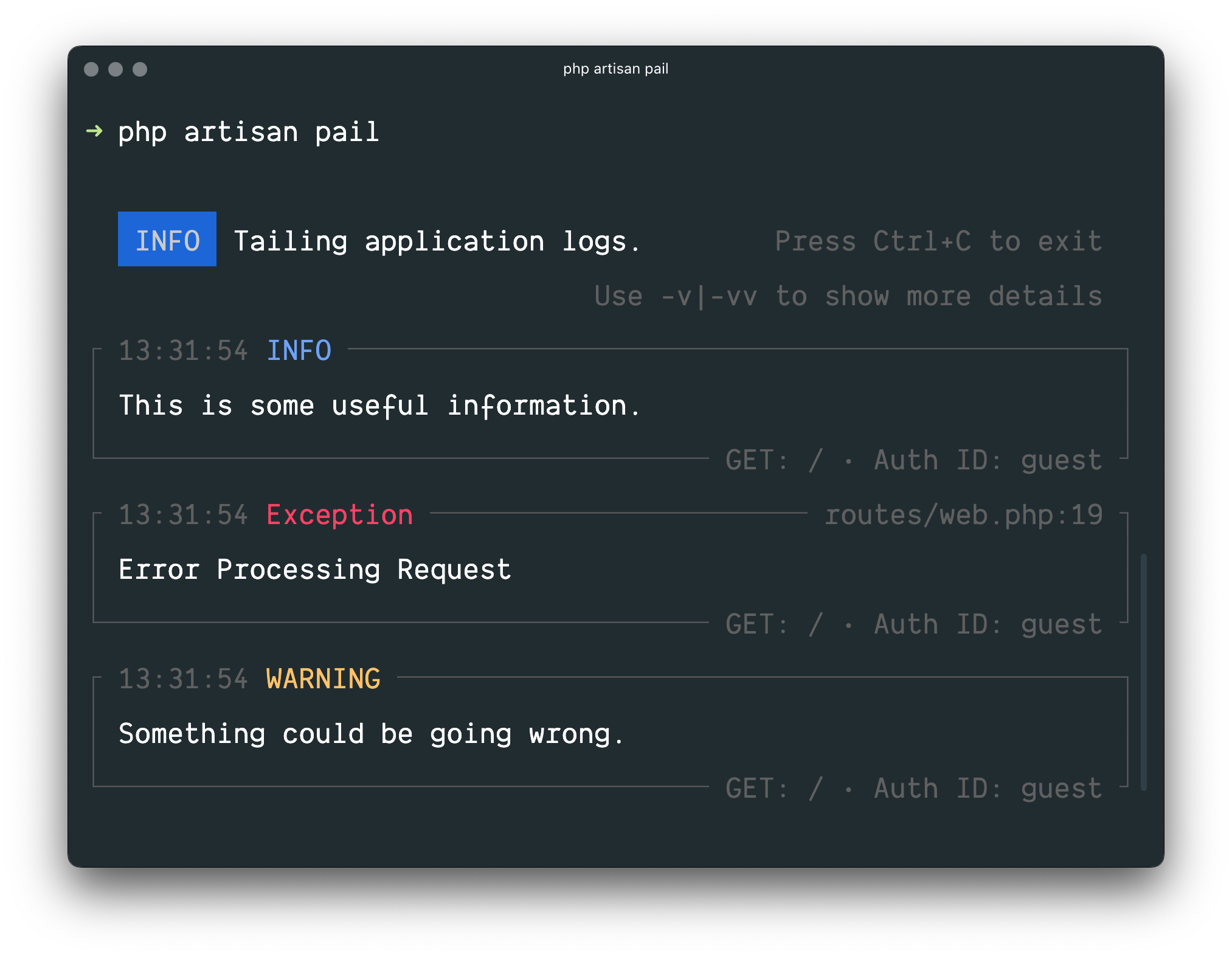
Often you may need to tail your application's logs in real time. For example,
|
||
when debugging an issue or when monitoring your application's logs for
|
||
specific types of errors.
|
||
|
||
Laravel Pail is a package that allows you to easily dive into your Laravel
|
||
application's log files directly from the command line. Unlike the standard
|
||
`tail` command, Pail is designed to work with any log driver, including Sentry
|
||
or Flare. In addition, Pail provides a set of useful filters to help you
|
||
quickly find what you're looking for.
|
||
|
||
|
||
|
||
### Installation
|
||
|
||
Laravel Pail requires the
|
||
[PCNTL](https://www.php.net/manual/en/book.pcntl.php) PHP extension.
|
||
|
||
To get started, install Pail into your project using the Composer package
|
||
manager:
|
||
|
||
|
||
|
||
1composer require --dev laravel/pail
|
||
|
||
|
||
composer require --dev laravel/pail
|
||
|
||
### Usage
|
||
|
||
To start tailing logs, run the `pail` command:
|
||
|
||
|
||
|
||
1php artisan pail
|
||
|
||
|
||
php artisan pail
|
||
|
||
To increase the verbosity of the output and avoid truncation (…), use the `-v`
|
||
option:
|
||
|
||
|
||
|
||
1php artisan pail -v
|
||
|
||
|
||
php artisan pail -v
|
||
|
||
For maximum verbosity and to display exception stack traces, use the `-vv`
|
||
option:
|
||
|
||
|
||
|
||
1php artisan pail -vv
|
||
|
||
|
||
php artisan pail -vv
|
||
|
||
To stop tailing logs, press `Ctrl+C` at any time.
|
||
|
||
### Filtering Logs
|
||
|
||
#### `--filter`
|
||
|
||
You may use the `--filter` option to filter logs by their type, file, message,
|
||
and stack trace content:
|
||
|
||
|
||
|
||
1php artisan pail --filter="QueryException"
|
||
|
||
|
||
php artisan pail --filter="QueryException"
|
||
|
||
#### `--message`
|
||
|
||
To filter logs by only their message, you may use the `--message` option:
|
||
|
||
|
||
|
||
1php artisan pail --message="User created"
|
||
|
||
|
||
php artisan pail --message="User created"
|
||
|
||
#### `--level`
|
||
|
||
The `--level` option may be used to filter logs by their log level:
|
||
|
||
|
||
|
||
1php artisan pail --level=error
|
||
|
||
|
||
php artisan pail --level=error
|
||
|
||
#### `--user`
|
||
|
||
To only display logs that were written while a given user was authenticated,
|
||
you may provide the user's ID to the `--user` option:
|
||
|
||
|
||
|
||
1php artisan pail --user=1
|
||
|
||
|
||
php artisan pail --user=1
|
||
|