
23 KiB
Laravel Telescope
- Introduction
- Installation
- Local Only Installation
- Configuration
- Data Pruning
- Dashboard Authorization
- Upgrading Telescope
- Filtering
- Entries
- Batches
- Tagging
- Available Watchers
- Batch Watcher
- Cache Watcher
- Command Watcher
- Dump Watcher
- Event Watcher
- Exception Watcher
- Gate Watcher
- HTTP Client Watcher
- Job Watcher
- Log Watcher
- Mail Watcher
- Model Watcher
- Notification Watcher
- Query Watcher
- Redis Watcher
- Request Watcher
- Schedule Watcher
- View Watcher
- Displaying User Avatars
Introduction
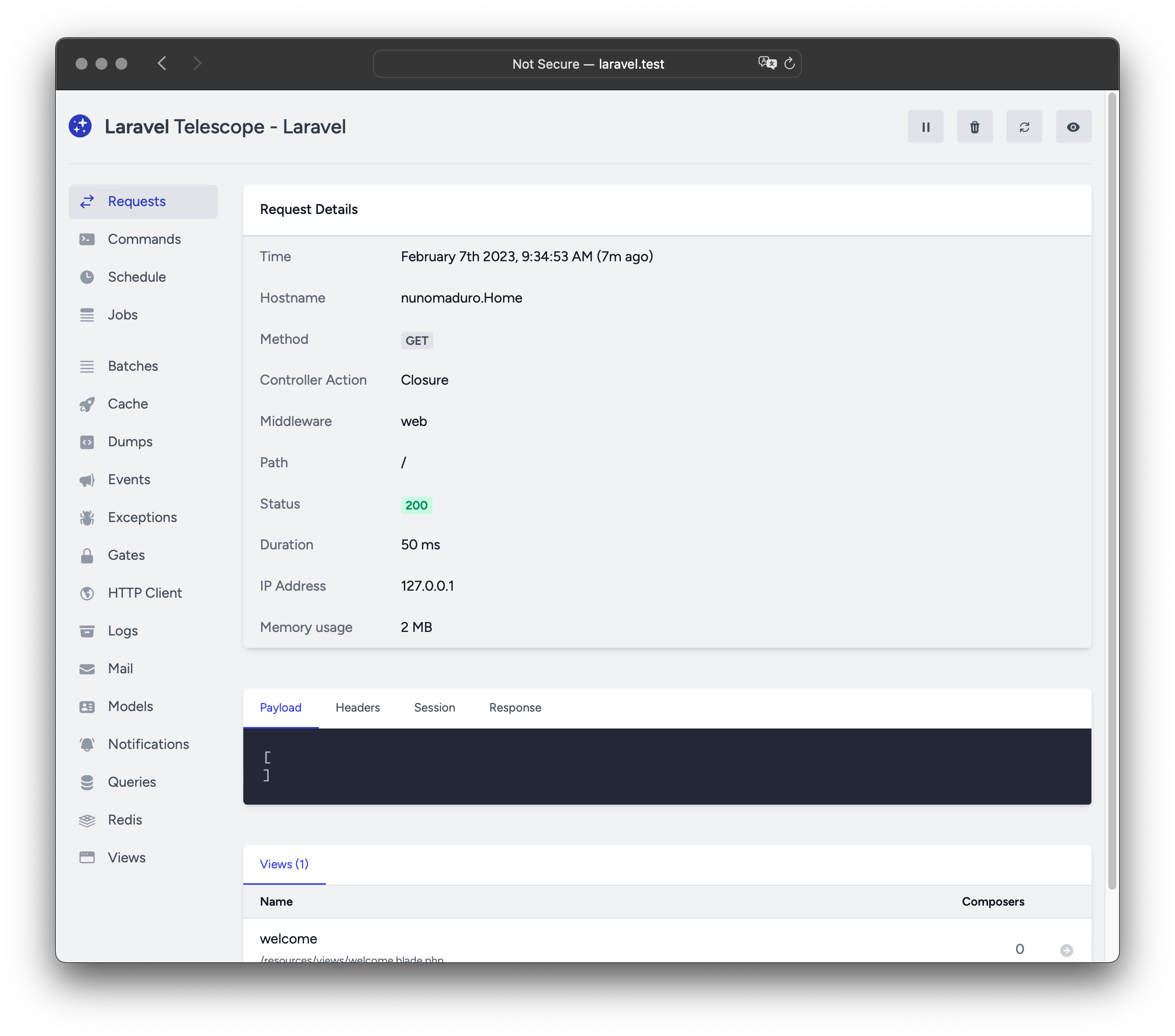
Laravel Telescope makes a wonderful companion to your local Laravel development environment. Telescope provides insight into the requests coming into your application, exceptions, log entries, database queries, queued jobs, mail, notifications, cache operations, scheduled tasks, variable dumps, and more.
Installation
You may use the Composer package manager to install Telescope into your Laravel project:
1composer require laravel/telescope


composer require laravel/telescope
After installing Telescope, publish its assets and migrations using the
telescope:install Artisan command. After installing Telescope, you should
also run the migrate command in order to create the tables needed to store
Telescope's data:
1php artisan telescope:install

2

3php artisan migrate


php artisan telescope:install

php artisan migrate
Finally, you may access the Telescope dashboard via the /telescope route.
Local Only Installation
If you plan to only use Telescope to assist your local development, you may
install Telescope using the --dev flag:
1composer require laravel/telescope --dev

2

3php artisan telescope:install

4

5php artisan migrate


composer require laravel/telescope --dev

php artisan telescope:install

php artisan migrate
After running telescope:install, you should remove the
TelescopeServiceProvider service provider registration from your
application's bootstrap/providers.php configuration file. Instead, manually
register Telescope's service providers in the register method of your
App\Providers\AppServiceProvider class. We will ensure the current
environment is local before registering the providers:
 1/**

 2 * Register any application services.

 3 */

 4public function register(): void

 5{

 6    if ($this->app->environment('local') && class_exists(\Laravel\Telescope\TelescopeServiceProvider::class)) {

 7        $this->app->register(\Laravel\Telescope\TelescopeServiceProvider::class);

 8        $this->app->register(TelescopeServiceProvider::class);

 9    }

10}


/**
 * Register any application services.
 */
public function register(): void
{
    if ($this->app->environment('local') && class_exists(\Laravel\Telescope\TelescopeServiceProvider::class)) {
        $this->app->register(\Laravel\Telescope\TelescopeServiceProvider::class);
        $this->app->register(TelescopeServiceProvider::class);
    }
}
Finally, you should also prevent the Telescope package from being auto-
discovered by adding the following to
your composer.json file:
1"extra": {

2    "laravel": {

3        "dont-discover": [

4            "laravel/telescope"

5        ]

6    }

7},


"extra": {
    "laravel": {
        "dont-discover": [
            "laravel/telescope"
        ]
    }
},
Configuration
After publishing Telescope's assets, its primary configuration file will be
located at config/telescope.php. This configuration file allows you to
configure your watcher options. Each configuration option includes a
description of its purpose, so be sure to thoroughly explore this file.
If desired, you may disable Telescope's data collection entirely using the
enabled configuration option:
1'enabled' => env('TELESCOPE_ENABLED', true),


'enabled' => env('TELESCOPE_ENABLED', true),
Data Pruning
Without pruning, the telescope_entries table can accumulate records very
quickly. To mitigate this, you should schedule the
telescope:prune Artisan command to run daily:
1use Illuminate\Support\Facades\Schedule;

2

3Schedule::command('telescope:prune')->daily();


use Illuminate\Support\Facades\Schedule;

Schedule::command('telescope:prune')->daily();
By default, all entries older than 24 hours will be pruned. You may use the
hours option when calling the command to determine how long to retain
Telescope data. For example, the following command will delete all records
created over 48 hours ago:
1use Illuminate\Support\Facades\Schedule;

2

3Schedule::command('telescope:prune --hours=48')->daily();


use Illuminate\Support\Facades\Schedule;

Schedule::command('telescope:prune --hours=48')->daily();
Dashboard Authorization
The Telescope dashboard may be accessed via the /telescope route. By
default, you will only be able to access this dashboard in the local
environment. Within your app/Providers/TelescopeServiceProvider.php file,
there is an authorization gate definition.
This authorization gate controls access to Telescope in non-local
environments. You are free to modify this gate as needed to restrict access to
your Telescope installation:
 1use App\Models\User;

 2

 3/**

 4 * Register the Telescope gate.

 5 *

 6 * This gate determines who can access Telescope in non-local environments.

 7 */

 8protected function gate(): void

 9{

10    Gate::define('viewTelescope', function (User $user) {

11        return in_array($user->email, [

12            '[[email protected]](/cdn-cgi/l/email-protection)',

13        ]);

14    });

15}


use App\Models\User;

/**
 * Register the Telescope gate.
 *
 * This gate determines who can access Telescope in non-local environments.
 */
protected function gate(): void
{
    Gate::define('viewTelescope', function (User $user) {
        return in_array($user->email, [
            '[[email protected]](/cdn-cgi/l/email-protection)',
        ]);
    });
}
You should ensure you change your APP_ENV environment variable to
production in your production environment. Otherwise, your Telescope
installation will be publicly available.
Upgrading Telescope
When upgrading to a new major version of Telescope, it's important that you carefully review the upgrade guide.
In addition, when upgrading to any new Telescope version, you should re- publish Telescope's assets:
1php artisan telescope:publish


php artisan telescope:publish
To keep the assets up-to-date and avoid issues in future updates, you may add
the vendor:publish --tag=laravel-assets command to the post-update-cmd
scripts in your application's composer.json file:
1{

2    "scripts": {

3        "post-update-cmd": [

4            "@php artisan vendor:publish --tag=laravel-assets --ansi --force"

5        ]

6    }

7}


{
    "scripts": {
        "post-update-cmd": [
            "@php artisan vendor:publish --tag=laravel-assets --ansi --force"
        ]
    }
}
Filtering
Entries
You may filter the data that is recorded by Telescope via the filter closure
that is defined in your App\Providers\TelescopeServiceProvider class. By
default, this closure records all data in the local environment and
exceptions, failed jobs, scheduled tasks, and data with monitored tags in all
other environments:
 1use Laravel\Telescope\IncomingEntry;

 2use Laravel\Telescope\Telescope;

 3

 4/**

 5 * Register any application services.

 6 */

 7public function register(): void

 8{

 9    $this->hideSensitiveRequestDetails();

10

11    Telescope::filter(function (IncomingEntry $entry) {

12        if ($this->app->environment('local')) {

13            return true;

14        }

15

16        return $entry->isReportableException() ||

17            $entry->isFailedJob() ||

18            $entry->isScheduledTask() ||

19            $entry->isSlowQuery() ||

20            $entry->hasMonitoredTag();

21    });

22}


use Laravel\Telescope\IncomingEntry;
use Laravel\Telescope\Telescope;

/**
 * Register any application services.
 */
public function register(): void
{
    $this->hideSensitiveRequestDetails();

    Telescope::filter(function (IncomingEntry $entry) {
        if ($this->app->environment('local')) {
            return true;
        }

        return $entry->isReportableException() ||
            $entry->isFailedJob() ||
            $entry->isScheduledTask() ||
            $entry->isSlowQuery() ||
            $entry->hasMonitoredTag();
    });
}
Batches
While the filter closure filters data for individual entries, you may use
the filterBatch method to register a closure that filters all data for a
given request or console command. If the closure returns true, all of the
entries are recorded by Telescope:
 1use Illuminate\Support\Collection;

 2use Laravel\Telescope\IncomingEntry;

 3use Laravel\Telescope\Telescope;

 4

 5/**

 6 * Register any application services.

 7 */

 8public function register(): void

 9{

10    $this->hideSensitiveRequestDetails();

11

12    Telescope::filterBatch(function (Collection $entries) {

13        if ($this->app->environment('local')) {

14            return true;

15        }

16

17        return $entries->contains(function (IncomingEntry $entry) {

18            return $entry->isReportableException() ||

19                $entry->isFailedJob() ||

20                $entry->isScheduledTask() ||

21                $entry->isSlowQuery() ||

22                $entry->hasMonitoredTag();

23            });

24    });

25}


use Illuminate\Support\Collection;
use Laravel\Telescope\IncomingEntry;
use Laravel\Telescope\Telescope;

/**
 * Register any application services.
 */
public function register(): void
{
    $this->hideSensitiveRequestDetails();

    Telescope::filterBatch(function (Collection $entries) {
        if ($this->app->environment('local')) {
            return true;
        }

        return $entries->contains(function (IncomingEntry $entry) {
            return $entry->isReportableException() ||
                $entry->isFailedJob() ||
                $entry->isScheduledTask() ||
                $entry->isSlowQuery() ||
                $entry->hasMonitoredTag();
            });
    });
}
Tagging
Telescope allows you to search entries by "tag". Often, tags are Eloquent
model class names or authenticated user IDs which Telescope automatically adds
to entries. Occasionally, you may want to attach your own custom tags to
entries. To accomplish this, you may use the Telescope::tag method. The
tag method accepts a closure which should return an array of tags. The tags
returned by the closure will be merged with any tags Telescope would
automatically attach to the entry. Typically, you should call the tag method
within the register method of your App\Providers\TelescopeServiceProvider
class:
 1use Laravel\Telescope\IncomingEntry;

 2use Laravel\Telescope\Telescope;

 3

 4/**

 5 * Register any application services.

 6 */

 7public function register(): void

 8{

 9    $this->hideSensitiveRequestDetails();

10

11    Telescope::tag(function (IncomingEntry $entry) {

12        return $entry->type === 'request'

13            ? ['status:'.$entry->content['response_status']]

14            : [];

15    });

16}


use Laravel\Telescope\IncomingEntry;
use Laravel\Telescope\Telescope;

/**
 * Register any application services.
 */
public function register(): void
{
    $this->hideSensitiveRequestDetails();

    Telescope::tag(function (IncomingEntry $entry) {
        return $entry->type === 'request'
            ? ['status:'.$entry->content['response_status']]
            : [];
    });
}
Available Watchers
Telescope "watchers" gather application data when a request or console command
is executed. You may customize the list of watchers that you would like to
enable within your config/telescope.php configuration file:
1'watchers' => [

2    Watchers\CacheWatcher::class => true,

3    Watchers\CommandWatcher::class => true,

4    // ...

5],


'watchers' => [
    Watchers\CacheWatcher::class => true,
    Watchers\CommandWatcher::class => true,
    // ...
],
Some watchers also allow you to provide additional customization options:
1'watchers' => [

2    Watchers\QueryWatcher::class => [

3        'enabled' => env('TELESCOPE_QUERY_WATCHER', true),

4        'slow' => 100,

5    ],

6    // ...

7],


'watchers' => [
    Watchers\QueryWatcher::class => [
        'enabled' => env('TELESCOPE_QUERY_WATCHER', true),
        'slow' => 100,
    ],
    // ...
],
Batch Watcher
The batch watcher records information about queued batches, including the job and connection information.
Cache Watcher
The cache watcher records data when a cache key is hit, missed, updated and forgotten.
Command Watcher
The command watcher records the arguments, options, exit code, and output
whenever an Artisan command is executed. If you would like to exclude certain
commands from being recorded by the watcher, you may specify the command in
the ignore option within your config/telescope.php file:
1'watchers' => [

2    Watchers\CommandWatcher::class => [

3        'enabled' => env('TELESCOPE_COMMAND_WATCHER', true),

4        'ignore' => ['key:generate'],

5    ],

6    // ...

7],


'watchers' => [
    Watchers\CommandWatcher::class => [
        'enabled' => env('TELESCOPE_COMMAND_WATCHER', true),
        'ignore' => ['key:generate'],
    ],
    // ...
],
Dump Watcher
The dump watcher records and displays your variable dumps in Telescope. When
using Laravel, variables may be dumped using the global dump function. The
dump watcher tab must be open in a browser for the dump to be recorded,
otherwise, the dumps will be ignored by the watcher.
Event Watcher
The event watcher records the payload, listeners, and broadcast data for any events dispatched by your application. The Laravel framework's internal events are ignored by the Event watcher.
Exception Watcher
The exception watcher records the data and stack trace for any reportable exceptions that are thrown by your application.
Gate Watcher
The gate watcher records the data and result of gate and
policy checks by your application. If you would
like to exclude certain abilities from being recorded by the watcher, you may
specify those in the ignore_abilities option in your config/telescope.php
file:
1'watchers' => [

2    Watchers\GateWatcher::class => [

3        'enabled' => env('TELESCOPE_GATE_WATCHER', true),

4        'ignore_abilities' => ['viewNova'],

5    ],

6    // ...

7],


'watchers' => [
    Watchers\GateWatcher::class => [
        'enabled' => env('TELESCOPE_GATE_WATCHER', true),
        'ignore_abilities' => ['viewNova'],
    ],
    // ...
],
HTTP Client Watcher
The HTTP client watcher records outgoing HTTP client requests made by your application.
Job Watcher
The job watcher records the data and status of any jobs dispatched by your application.
Log Watcher
The log watcher records the log data for any logs written by your application.
By default, Telescope will only record logs at the error level and above.
However, you can modify the level option in your application's
config/telescope.php configuration file to modify this behavior:
1'watchers' => [

2    Watchers\LogWatcher::class => [

3        'enabled' => env('TELESCOPE_LOG_WATCHER', true),

4        'level' => 'debug',

5    ],

6

7    // ...

8],


'watchers' => [
    Watchers\LogWatcher::class => [
        'enabled' => env('TELESCOPE_LOG_WATCHER', true),
        'level' => 'debug',
    ],

    // ...
],
Mail Watcher
The mail watcher allows you to view an in-browser preview of
emails sent by your application along with their associated
data. You may also download the email as an .eml file.
Model Watcher
The model watcher records model changes whenever an Eloquent model
event is dispatched. You may specify which model
events should be recorded via the watcher's events option:
1'watchers' => [

2    Watchers\ModelWatcher::class => [

3        'enabled' => env('TELESCOPE_MODEL_WATCHER', true),

4        'events' => ['eloquent.created*', 'eloquent.updated*'],

5    ],

6    // ...

7],


'watchers' => [
    Watchers\ModelWatcher::class => [
        'enabled' => env('TELESCOPE_MODEL_WATCHER', true),
        'events' => ['eloquent.created*', 'eloquent.updated*'],
    ],
    // ...
],
If you would like to record the number of models hydrated during a given
request, enable the hydrations option:
1'watchers' => [

2    Watchers\ModelWatcher::class => [

3        'enabled' => env('TELESCOPE_MODEL_WATCHER', true),

4        'events' => ['eloquent.created*', 'eloquent.updated*'],

5        'hydrations' => true,

6    ],

7    // ...

8],


'watchers' => [
    Watchers\ModelWatcher::class => [
        'enabled' => env('TELESCOPE_MODEL_WATCHER', true),
        'events' => ['eloquent.created*', 'eloquent.updated*'],
        'hydrations' => true,
    ],
    // ...
],
Notification Watcher
The notification watcher records all notifications sent by your application. If the notification triggers an email and you have the mail watcher enabled, the email will also be available for preview on the mail watcher screen.
Query Watcher
The query watcher records the raw SQL, bindings, and execution time for all
queries that are executed by your application. The watcher also tags any
queries slower than 100 milliseconds as slow. You may customize the slow
query threshold using the watcher's slow option:
1'watchers' => [

2    Watchers\QueryWatcher::class => [

3        'enabled' => env('TELESCOPE_QUERY_WATCHER', true),

4        'slow' => 50,

5    ],

6    // ...

7],


'watchers' => [
    Watchers\QueryWatcher::class => [
        'enabled' => env('TELESCOPE_QUERY_WATCHER', true),
        'slow' => 50,
    ],
    // ...
],
Redis Watcher
The Redis watcher records all Redis commands executed by your application. If you are using Redis for caching, cache commands will also be recorded by the Redis watcher.
Request Watcher
The request watcher records the request, headers, session, and response data
associated with any requests handled by the application. You may limit your
recorded response data via the size_limit (in kilobytes) option:
1'watchers' => [

2    Watchers\RequestWatcher::class => [

3        'enabled' => env('TELESCOPE_REQUEST_WATCHER', true),

4        'size_limit' => env('TELESCOPE_RESPONSE_SIZE_LIMIT', 64),

5    ],

6    // ...

7],


'watchers' => [
    Watchers\RequestWatcher::class => [
        'enabled' => env('TELESCOPE_REQUEST_WATCHER', true),
        'size_limit' => env('TELESCOPE_RESPONSE_SIZE_LIMIT', 64),
    ],
    // ...
],
Schedule Watcher
The schedule watcher records the command and output of any scheduled tasks run by your application.
View Watcher
The view watcher records the view name, path, data, and "composers" used when rendering views.
Displaying User Avatars
The Telescope dashboard displays the user avatar for the user that was
authenticated when a given entry was saved. By default, Telescope will
retrieve avatars using the Gravatar web service. However, you may customize
the avatar URL by registering a callback in your
App\Providers\TelescopeServiceProvider class. The callback will receive the
user's ID and email address and should return the user's avatar image URL:
 1use App\Models\User;

 2use Laravel\Telescope\Telescope;

 3

 4/**

 5 * Register any application services.

 6 */

 7public function register(): void

 8{

 9    // ...

10

11    Telescope::avatar(function (?string $id, ?string $email) {

12        return ! is_null($id)

13            ? '/avatars/'.User::find($id)->avatar_path

14            : '/generic-avatar.jpg';

15    });

16}


use App\Models\User;
use Laravel\Telescope\Telescope;

/**
 * Register any application services.
 */
public function register(): void
{
    // ...

    Telescope::avatar(function (?string $id, ?string $email) {
        return ! is_null($id)
            ? '/avatars/'.User::find($id)->avatar_path
            : '/generic-avatar.jpg';
    });
}